
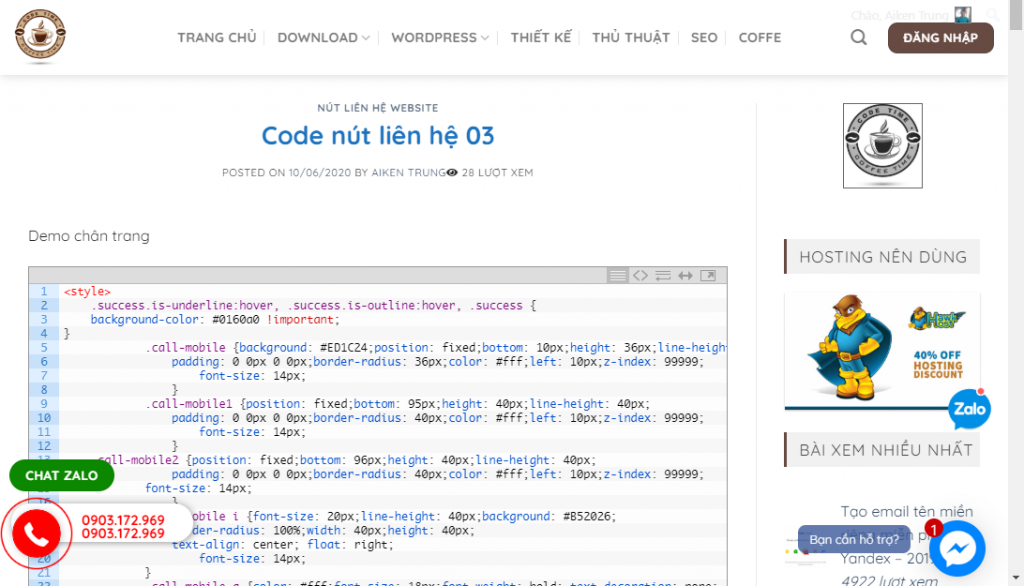
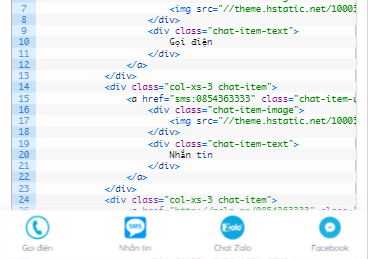
Demo chân trang, nguồn thaibinhweb.net
Phần 1: Code HTML
Các bạn nhớ đổi số điện thoại & Facebook thành thông tin của mình nhé
|
1 2 3 4 5 6 7 8 9 10 11 |
<div class="call-mobile2"> <a data-animate="fadeInDown" rel="noopener noreferrer" href="http://zalo.me/0903123456" target="_blank" class="button success" style="border-radius:99px;" data-animated="true"> <span>Chat Zalo </span></a> </div> <div class="call-mobile1"> <a data-animate="fadeInDown" rel="noopener noreferrer" href="https://www.facebook.com/codfe" target="_blank" class="button success" style="border-radius:99px;" data-animated="true"> <span>Chat Facebook</span></a> </div> <div class="call-mobile"> <a id="callnowbutton" href="tel:0903123456">0903.123.456</a><i class="fa fa-phone"></i> </div> |
Phần 2: CSS
|
1 2 3 4 5 6 7 8 9 10 11 12 13 14 15 16 17 18 19 20 21 22 23 24 25 26 27 28 29 30 31 32 33 34 35 36 37 38 39 40 41 42 43 44 45 46 47 48 49 50 51 52 53 54 55 56 |
.success.is-underline:hover,.success.is-outline:hover,.success { background-color:#1E73BE; color:white !important; } .call-mobile { background:#ED1C24; position:fixed; bottom:10px; height:40px; line-height:40px; padding:0 0px 0 0px; border-radius:40px; color:#fff; left:20px; z-index:99999; } .call-mobile1 { position:fixed; bottom:52px; height:40px; line-height:40px; padding:0 0px 0 0px; border-radius:40px; color:#fff; left:20px; z-index:99999; } .call-mobile2 { position:fixed; bottom:93px; height:40px; line-height:40px; padding:0 0px 0 0px; border-radius:40px; color:#fff; left:20px; z-index:99999; } .call-mobile i { font-size:20px; line-height:40px; background:#B52026; border-radius:100%; width:40px; height:40px; text-align:center; float:right; } .call-mobile a { color:#fff; font-size:18px; font-weight:bold; text-decoration:none; margin-right:10px; padding-left: 10px; } |
Bài viết mới:







bạn ơi cho mình hỏi cài này chèn ntn vậy ạ
Bạn xem ở đây nhé! https://codfe.com/cach-them-code-cac-loai-vao-website-wordpress/